We use cookies to make your experience better. To comply with the new e-Privacy directive, we need to ask for your consent to set the cookies. Learn more.

PLC Programming Getting Started
$0.00
Out of stock
SKU
PLC00
Interested in learning PLC programming? Not sure if it's for you? Try this free course first. All you need is a Windows PC and the know-how to install software. You'll use free Rockwell Automation Allen-Bradley software (CCW) to write a small ladder logic program and see how our assessments work.
For information on course content, learning activities, and assessment click here
PLC Application
Find out how PLCs work and get a feel for ladder logic programming. You will download, install and run Allen-Bradley's free PLC programming software, then finish with a short evaluation of how you went. Completion of this course will prepare you for the next course in the series, PLC Programming Foundations.
Content
- 1 PLC Getting Started Project
- 2 Training Videos
- Online Learning and Study Resources
- 2 Quizzes
- Certificate of Completion (when assessed)
- Estimated time: about 8 hours, at your own pace
- Access: 7 days from enrolment
Learning Activities
- Apply WHS/OHS practices when using a computer
- Read circuit diagrams, symbols and manuals
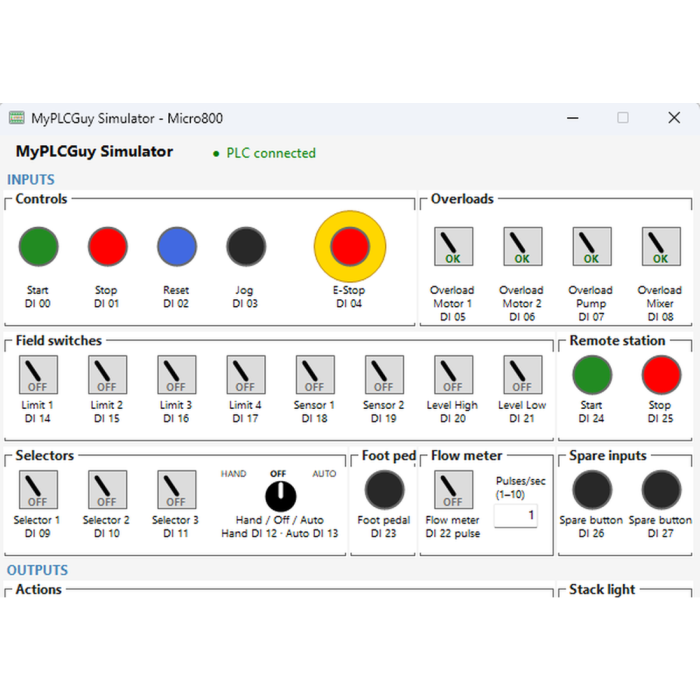
- Download and install the PLC software (CCW, Micro800 Simulator and MyPLCGuy Simulator)
- Create, name, save and back up project files
- Write, download and test your first ladder program
Assessment
This course covers some of the outcomes described in the following national UEE Electrotechnology training package competencies:
- UEECD0007 - Apply work health and safety regulations, codes and practices in the workplace
- UEECD0051 - Use drawings, diagrams, schedules, standards, codes and specifications
- UEECS0033 - Use engineering applications software on personal computers
- UEEIC0013 - Develop, enter and verify discrete control programs for programmable controllers
and skill set:
- UEESS00135 - Instrumentation - Programmable Control Systems Skill Set
| Who Should Attend | Suitable for people new to PLC systems, including electricians, electrical technicians, engineers, maintenance staff, apprentices, and others seeking a practical introduction to PLC operation and basic automation concepts. |
|---|---|
| Prerequisites | Participants should be able to perform basic Microsoft Windows tasks such as navigating folders, installing software, and adjusting simple settings. No previous PLC or automation experience is required to begin the course. |
| Hours to Complete | The course requires about 8 hours to complete. Actual time may vary depending on learning pace, computer skills, and how much time is spent reviewing optional resources or practising the included activities. |
| Software Download | Participants receive links to download and install Rockwell Software Connected Components Workbench (CCW) Standard Edition (Free). CCW must be installed to access lessons, simulations, and course activities. Refer to Terms and Conditions for details. |
| Computer Hardware | A computer meeting the minimum specifications is required. A higher‑performance system will improve responsiveness when running CCW, simulations, and other course software used throughout the training. |
| Computer Requirements | Minimum specifications: Intel Core i5 2.4 GHz or equivalent, 8 GB RAM, 20 GB free disk space with at least 2 GB for the installer, and a Windows‑compatible pointing device such as a mouse or trackpad for accurate navigation. |
| Operating System | CCW supports 64‑bit Windows 10 and Windows 11 Professional or Enterprise. Microsoft .NET Framework 3.5 SP1 must be manually enabled or installed to ensure correct operation of CCW and related course software. |